plants
Mesh Networking for Off-Grid Communication
Mesh Networking for Off-Grid Communication - comprehensive guide from Nored Farms.
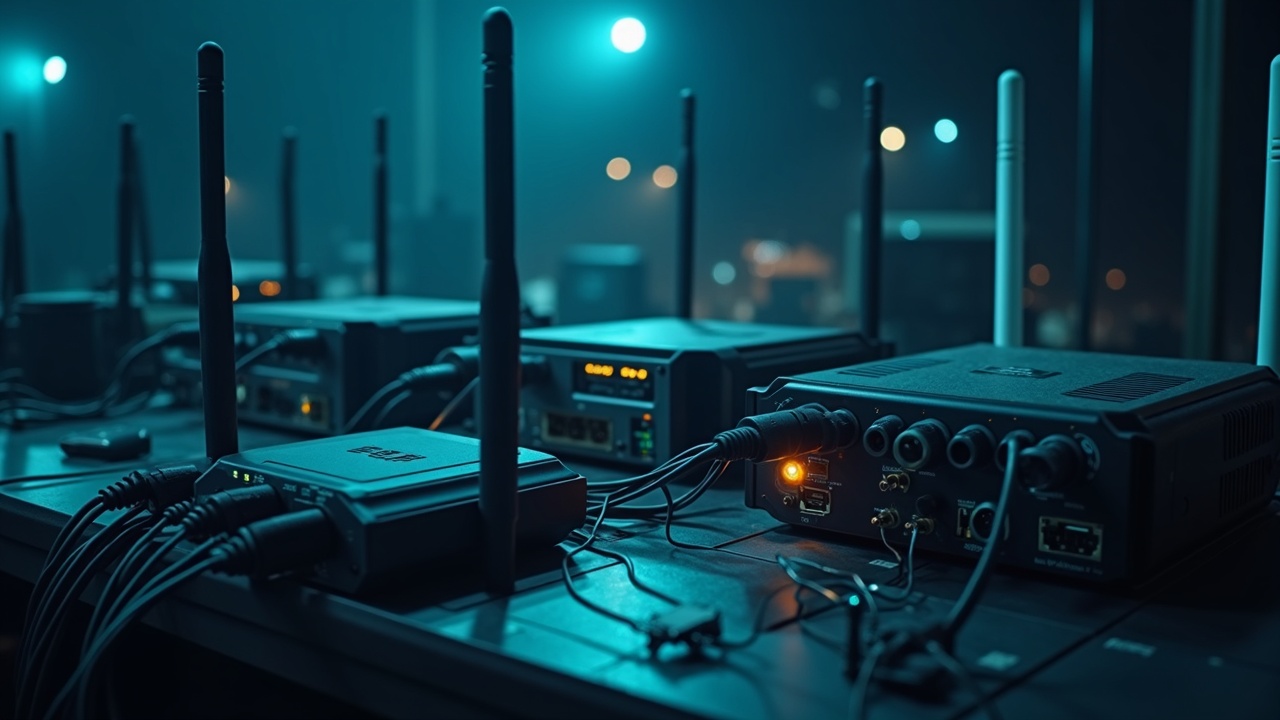
**Content Extraction Summary:** Mesh networks eliminate the single point of failure that makes centralized communication fragile. This article covers mesh topology fundamentals, LoRa radio physics, complete Meshtastic node builds (handheld, solar repeater, vehicle-mounted), network design for rural coverage, encrypted messaging and sensor telemetry, alternative mesh platforms, and practical deployment for farms, ranches, and emergency networks. Primary platform: Meshtastic on ESP32/LoRa hardware. Budget entry point: under $35 per node.
1. Introduction
Cell towers fail exactly when you need them most. Hurricanes, wildfires, ice storms, grid outages — every scenario that creates an emergency also kills centralized infrastructure. Hurricane Maria knocked out 95.6% of Puerto Rico's cell sites in 2017 (FCC Communications Status Report, Oct 2017). The network architecture itself is the vulnerability.
Mesh networks invert this. Every node is both a client and a relay. There is no tower, no central server, no single point of failure. Messages hop from device to device until they reach their destination. Destroy a node and traffic routes around it. Add a node and the network gets stronger.
This is not new technology. The military has used mesh networking for decades — the original DARPA packet-switching research that became the internet was fundamentally a mesh concept. What is new is that the hardware costs $25-35 per node, runs on a coin cell or small solar panel, and can be configured by anyone with a USB cable and five minutes.
The most accessible entry point today is **Meshtastic** — an open-source project that turns cheap LoRa radio modules into a decentralized mesh network. Text messaging, GPS location sharing, and sensor telemetry over distances measured in miles, not feet. No cell service. No internet. No monthly fees. No license required.
This article covers everything needed to build, deploy, and operate a mesh communication network from scratch.
2. How Mesh Networks Work
Topology Comparison
Most people's mental model of a network is a **star topology** — every device connects to one central hub (a router, a cell tower). Kill the hub and the entire network dies. That is what happens when a cell tower loses power or backhaul.
A **hub-and-spoke** topology adds some redundancy by connecting hubs to each other, but each spoke still depends entirely on its hub. Enterprise Wi-Fi works this way.
A **mesh topology** connects every node to multiple neighbors. There is no hierarchy. Any node can relay traffic for any other node. Routes are discovered dynamically and recalculated when nodes join, leave, or fail. The network is self-healing by design.
**True mesh** (full mesh) connects every node to every other node. This is impractical at scale. **Partial mesh** connects each node to several neighbors, and multi-hop routing fills the gaps. This is what Meshtastic and most practical mesh systems use.
Routing Protocols
Mesh networks need a way to discover routes — how does Node A know that reaching Node D requires hopping through Node B and Node C?
**Flooding** is the simplest approach: every node rebroadcasts every message it receives. This guarantees delivery but wastes bandwidth. Meshtastic uses a managed flooding approach with duplicate detection and hop limits to keep this under control.
**Distance-vector routing** has each node maintain a table of known destinations and the cost (usually hop count) to reach them. Nodes share their tables with neighbors. Simple but can create routing loops.
**Link-state routing** has each node map the entire network topology and compute optimal paths. More efficient but requires more memory and processing. AREDN ham radio mesh uses OLSR (Optimized Link State Routing).
Store-and-Forward
When the destination node is temporarily unreachable, mesh nodes can store messages and forward them when connectivity is restored. Meshtastic supports store-and-forward on nodes with sufficient memory — the node holds messages for offline devices and delivers them when those devices rejoin the mesh.
Multi-Hop
Each relay between nodes is one "hop." Meshtastic defaults to a maximum of 3 hops (configurable up to 7). Each hop adds latency and consumes airtime. With three hops and nodes spaced 2 miles apart, a message can travel 8 miles through terrain that would block a direct signal.
The trade-off is real: more hops mean more airtime consumed per message, and LoRa channels have limited throughput. In practice, 3 hops balances range against network capacity for most deployments.
3. Meshtastic — The Most Accessible Entry Point
What It Is
Meshtastic is open-source firmware for ESP32-based microcontrollers with LoRa radios. It creates a decentralized mesh network for text messaging, GPS tracking, and telemetry. The project started in 2020 and has grown rapidly — over 40,000 nodes reported on the public MQTT mesh as of early 2026.
Key characteristics:
- **No license required** — operates on ISM bands (unlicensed spectrum)
- **No internet required** — fully peer-to-peer over radio
- **Encrypted** — AES-256 encryption on all channels by default
- **Long range** — 2-10+ miles per hop depending on terrain and antennas
- **Low power** — nodes can run for days on a small battery, months with solar
- **Free** — open-source firmware, no subscriptions, no fees
Supported Hardware
Meshtastic runs on several hardware platforms. The common thread is an ESP32 (or nRF52) microcontroller paired with a Semtech LoRa radio (SX1262 or SX1276).
**Heltec LoRa 32 V3** — $18-22. Built-in OLED screen, USB-C, Wi-Fi, Bluetooth. The cheapest option with a screen. Compact. The onboard antenna is mediocre — plan to add an external antenna via the U.FL/IPEX connector.
**TTGO T-Beam (LilyGo)** — $28-35. Includes GPS module and 18650 battery holder. The go-to for portable nodes that need location tracking. Heavier and larger than the Heltec but more capable out of the box.
**LilyGo T-Deck** — $45-55. Full keyboard, screen, GPS, and LoRa in a handheld form factor. The closest thing to a ready-made Meshtastic communicator. No soldering required.
**RAK WisBlock** — $25-40 (varies by configuration). Modular system — base board plus snap-on modules for LoRa, GPS, sensors, battery management. Based on the nRF52840 chip, which draws significantly less power than ESP32. Best choice for solar-powered remote nodes where battery life is critical. RAK4631 core + RAK13300 LoRa module is the standard combination.
**Heltec Mesh Node T114** — $22-28. Small, nRF52-based, good battery life. Newer entry in the lineup.
**Station G2** — $55-70. Purpose-built Meshtastic device with better RF design, larger battery, and ruggedized case. Premium option for users who do not want to build their own.
Setup and Configuration
Flashing Meshtastic firmware takes five minutes:
1. Connect the board to a computer via USB-C 2. Open **flasher.meshtastic.org** in Chrome or Edge (requires WebSerial support) 3. Select the correct board from the dropdown 4. Click "Flash" — the web flasher downloads and installs the latest stable firmware 5. The device reboots into Meshtastic
Configuration is done through the **Meshtastic app** (Android, iOS, or desktop):
1. Enable Bluetooth on the device (it is on by default after flashing) 2. Open the Meshtastic app and scan for devices 3. Pair with the node 4. Set your **region** (US = United States, which configures 915 MHz band parameters) 5. Set a **node name** (your callsign or identifier on the mesh) 6. Choose a **modem preset** — this controls the balance between range and speed: - **Long Fast** (default) — good balance, 2.5 miles range, reasonable throughput - **Long Slow** — maximum range (10+ miles with good antennas), very low data rate - **Short Fast** — shorter range, higher throughput, good for dense urban mesh 7. Set channel encryption keys (a default key is shared by all Meshtastic devices — change this for private communication)
Range
Real-world ranges with Meshtastic depend heavily on antenna, elevation, and terrain:
- **Stock antenna, ground level, urban:** 0.5-1 mile
- **External antenna, ground level, suburban:** 1-3 miles
- **External antenna, elevated (rooftop/hill), rural:** 5-15 miles
- **High-gain antenna, mountain-to-mountain, clear line of sight:** 30+ miles (verified community records exceed 100 miles for single-hop LoRa links)
The single most impactful upgrade is antenna quality and placement height. A $12 antenna on a rooftop outperforms a $50 antenna at ground level every time.
4. LoRa Fundamentals
What LoRa Is
LoRa (Long Range) is a physical-layer radio modulation technique developed by Semtech. It uses **chirp spread spectrum (CSS)** modulation — the signal frequency continuously sweeps up or down across a wide bandwidth. This makes it extremely resistant to interference and allows receivers to decode signals well below the noise floor.
A standard radio needs the signal to be stronger than the background noise. LoRa can decode signals 20 dB below the noise floor — that is a factor of 100 weaker than what conventional radios require (Semtech SX1262 datasheet, sensitivity specification: -137 dBm at SF12/125kHz).
Chirp Modulation
A "chirp" is a signal that sweeps from a low frequency to a high frequency (up-chirp) or high to low (down-chirp). Data is encoded by shifting the starting frequency of each chirp. The receiver correlates the incoming signal against a reference chirp to extract the data.
This is fundamentally different from how Wi-Fi, Bluetooth, or cellular radios work. Those systems encode data in the amplitude or phase of a fixed-frequency carrier. CSS encodes data in the timing of frequency sweeps, which is far more robust against multipath reflections, interference, and noise.
Spreading Factor: Range vs. Data Rate
LoRa's key configurable parameter is the **spreading factor (SF)**, which ranges from SF7 to SF12:
- **SF7** — highest data rate (~11 kbps), shortest range, least airtime per message
- **SF12** — lowest data rate (~0.29 kbps), longest range, most airtime per message
Each step up in SF roughly doubles the airtime and adds ~2.5 dB of sensitivity (which translates to roughly 60% more range in open terrain). The trade-off is direct: more range costs more battery and more channel time.
Meshtastic's modem presets map to specific SF and bandwidth combinations:
- **Short Fast:** SF7, 250 kHz BW — fast, short range
- **Long Fast:** SF11, 250 kHz BW — the default balance
- **Long Slow:** SF12, 125 kHz BW — maximum range, very slow
Frequency Bands
LoRa operates on unlicensed ISM bands:
- **915 MHz** — United States, Canada, Australia, South America (902-928 MHz with frequency hopping)
- **868 MHz** — Europe, Middle East, Africa (863-870 MHz)
- **433 MHz** — Asia (some regions), though less common for Meshtastic
Lower frequencies propagate farther and penetrate obstacles better, but the 915 MHz and 868 MHz bands offer more bandwidth and are the standard for Meshtastic.
Duty Cycle Regulations
In the US (FCC Part 15), the 915 MHz ISM band allows up to 1 watt (30 dBm) of transmit power with frequency hopping. Meshtastic complies by hopping across multiple channels within the 902-928 MHz range.
In Europe (ETSI), the 868 MHz band imposes a **1% duty cycle** — your device can only transmit for 1% of any given time period. This significantly limits message throughput. Meshtastic enforces this automatically when the EU region is selected.
Antenna Fundamentals
The antenna matters more than the radio. Key concepts:
**Gain** is measured in dBi. A basic dipole is ~2 dBi. A good external antenna is 3-6 dBi. Higher gain focuses energy toward the horizon (flattening the radiation pattern), which increases range on flat terrain but can miss nodes that are significantly above or below the antenna.
**Impedance matching** — LoRa antennas must be tuned for 915 MHz (or 868 MHz). Using a random antenna or one cut for a different frequency wastes power as reflected energy. Look for antennas specifically sold for the 900 MHz or 868 MHz band.
**Cable loss** — every foot of coaxial cable between the radio and antenna loses signal. Use LMR-400 or equivalent low-loss cable for runs over 3 feet. Cheap RG-174 cable can lose 1 dB per foot at 900 MHz — that is a meaningful fraction of your power budget.
**Polarization** — all nodes in a mesh should use the same antenna polarization (usually vertical). Mismatched polarization causes 20+ dB of signal loss.
5. Hardware Builds
Build 1: Basic Handheld Meshtastic Node
**Purpose:** Personal communicator for messaging and location sharing.
**Parts list:** | Part | Approximate Cost | |---|---| | Heltec LoRa 32 V3 (or TTGO T-Beam for GPS) | $18-35 | | 915 MHz stubby antenna (SMA) | $5-8 | | U.FL to SMA pigtail adapter | $3-5 | | 3.7V 1200mAh LiPo battery (JST-PH 2.0 connector) | $8-12 | | USB-C cable | $3-5 | | 3D-printed or waterproof project case | $5-10 | | **Total** | **$42-75** |
**Assembly steps:**
1. **Flash firmware** — connect the board via USB-C. Navigate to flasher.meshtastic.org, select your board, flash the latest stable release. The board will reboot and display the Meshtastic splash screen on its OLED.
2. **Connect the antenna** — plug the U.FL-to-SMA pigtail into the U.FL connector on the board. Attach the 915 MHz antenna to the SMA end. **Never power on a LoRa radio without an antenna connected** — transmitting without a load can damage the radio frontend.
3. **Connect the battery** — plug the LiPo into the JST connector on the board. The Heltec and T-Beam both include charging circuits — the battery charges via USB-C when connected.
4. **Configure via app** — open the Meshtastic app on your phone, pair via Bluetooth, set region to US, set your node name, select "Long Fast" modem preset for general use.
5. **Case it** — mount in a project box or 3D-printed enclosure. If using outdoors, use a weatherproof case with an external SMA bulkhead connector for the antenna. Models for common boards are available on Printables and Thingiverse (search "Meshtastic Heltec V3 case" or "T-Beam case").
6. **Test** — have a second node or a friend with Meshtastic and verify two-way messaging. Check signal reports (SNR and RSSI) in the app to confirm radio performance.
Build 2: Solar-Powered Repeater Node
**Purpose:** Unattended relay node on a high point (hilltop, barn roof, tower) to extend mesh coverage.
**Parts list:** | Part | Approximate Cost | |---|---| | RAK WisBlock Starter Kit (RAK4631 + RAK19007 base) | $25-30 | | RAK13300 LoRa module (SX1262) | $8-10 | | 6 dBi 915 MHz fiberglass antenna (N-type female) | $25-40 | | N-type to SMA adapter cable (LMR-200, 1 ft) | $8-12 | | 6W solar panel (6V output) | $12-18 | | Solar charge controller (TP4056 or Adafruit Solar Charger) | $5-8 | | 3.7V 6000mAh LiPo battery | $15-20 | | Weatherproof junction box (IP65+, ~6x4x3 inches) | $8-12 | | Cable glands for antenna and solar panel leads | $3-5 | | Mounting hardware (U-bolts, pipe clamp, stainless hardware) | $8-12 | | **Total** | **$117-167** |
**Assembly steps:**
1. **Assemble the WisBlock** — snap the RAK13300 LoRa module onto the base board. Connect the antenna pigtail to the module's U.FL connector.
2. **Flash firmware** — connect via USB, flash Meshtastic for the RAK4631 platform. Configure as a **ROUTER** role (in the app, Device Role → Router). Router mode disables the screen and Bluetooth to conserve power and prioritizes relaying traffic.
3. **Wire solar charging** — connect the solar panel to the charge controller input. Connect the LiPo battery to the charge controller battery terminals. Connect the charge controller output to the RAK base board's battery connector. Verify charging behavior in direct sunlight before field deployment.
4. **Weatherproof the enclosure** — mount the RAK board and battery inside the junction box. Run the antenna cable through a cable gland. Run the solar panel wires through a second cable gland. Seal all glands with silicone if deploying in exposed locations.
5. **Mount the antenna** — the fiberglass antenna mounts vertically on a pole or mast. Use U-bolts or a pipe clamp. Height is everything — every 10 feet of elevation gained roughly doubles the radio horizon. A 30-foot mast on a hilltop will outperform any antenna upgrade.
6. **Deploy** — orient the solar panel toward the south (in the Northern Hemisphere). Verify the node appears on the mesh and relays messages. Check battery voltage via telemetry in the Meshtastic app to confirm the solar panel keeps up with power consumption.
**Power budget:** The RAK4631 in Router mode draws ~30-50 mA average. A 6000mAh battery provides ~5 days of runtime without solar. A 6W panel in Texas provides roughly 25-30 Wh/day in winter — far more than the ~1-2 Wh/day the node requires. The system will run indefinitely with even partial sun.
Build 3: Vehicle-Mounted Mobile Node
**Purpose:** Mobile mesh node in a ranch truck, UTV, or tow vehicle. Always-on mesh connectivity while moving across property.
**Parts list:** | Part | Approximate Cost | |---|---| | TTGO T-Beam (GPS + LoRa + battery holder) | $28-35 | | 18650 Li-ion battery (e.g., Samsung 30Q) | $5-8 | | 5 dBi 915 MHz magnetic mount antenna (SMA, ~14" whip) | $15-25 | | SMA extension cable (3-6 ft, RG-58 or LMR-200) | $8-12 | | USB-C car charger (12V to 5V) | $5-8 | | Weatherproof project box or RAM mount cradle | $10-15 | | **Total** | **$71-103** |
**Assembly steps:**
1. Flash the T-Beam with Meshtastic. Set device role to **CLIENT_MUTE** or **ROUTER_CLIENT** depending on whether the vehicle should relay traffic or just participate.
2. Enable GPS position broadcasting. Set the position update interval (every 120-300 seconds is reasonable for ranch use — frequent enough to track vehicle location without excessive airtime).
3. Mount the magnetic antenna on the vehicle roof. Route the SMA cable through a window seal or drill a pass-through with a grommet. A roof-mounted antenna gives the best ground plane and 360-degree coverage.
4. Power the T-Beam from the vehicle's 12V system via a USB-C car charger. The 18650 battery provides backup power when the vehicle is off.
5. Secure the T-Beam inside the cab in a project box or RAM mount. Keep the OLED visible if you want to read messages from the driver's seat, or use a phone running the Meshtastic app via Bluetooth.
6. Network Design
Node Placement for Coverage
Mesh network performance is determined by node placement more than hardware quality. Three principles:
**Elevation wins.** A node 50 feet high on a barn roof covers more area than a node at ground level with a $200 antenna. The radio horizon for a node at height h (in feet) is approximately: distance (miles) = 1.23 x sqrt(h). A node at 50 feet has a radio horizon of ~8.7 miles. At 100 feet, ~12.3 miles.
**Line of sight matters.** 915 MHz signals do not penetrate hills, dense tree lines, or metal buildings well. A relay on a ridge between two valleys is worth more than ten nodes in the valley floor.
**Fresnel zone clearance.** Radio waves are not laser beams. They need a clear elliptical zone around the direct path between two antennas. For a 915 MHz link at 5 miles, the Fresnel zone is about 40 feet wide at the midpoint. Trees or terrain intruding into this zone cause significant signal loss even if you can "see" the other antenna.
Relay Strategy
For a ranch or rural property:
1. **Identify high points** — water towers, barn roofs, hilltops, windmill platforms, tree stands. These are relay node locations. 2. **Place solar repeater nodes on the highest points** — two or three well-placed repeaters can cover thousands of acres. 3. **Connect clusters** — if the property has separate areas (home, barn, far pasture, gate), ensure each cluster has line of sight to at least one repeater. 4. **Test before permanent installation** — carry a portable node to planned locations and test connectivity. Check SNR and RSSI. If SNR is below -10 dB, the link is marginal.
Range Testing
Meshtastic provides signal quality metrics for every received message:
- **RSSI** (Received Signal Strength Indicator) — measured in dBm. Above -100 dBm is good. -100 to -115 dBm is usable. Below -120 dBm is marginal.
- **SNR** (Signal to Noise Ratio) — measured in dB. Above 0 dB is solid. -5 to 0 dB is usable. Below -10 dB is at the limit.
Walk or drive the coverage area with a handheld node while monitoring these values on the app. Mark dead zones on a map. Dead zones need either a relay node or an antenna upgrade at the nearest node.
Network Mapping
The Meshtastic app shows all nodes that have been heard, including their last-known GPS positions. The community-run **meshmap.net** aggregates position data from nodes that opt into MQTT reporting, showing a global map of active Meshtastic nodes.
For private networks, disable MQTT uplink and use the app's local map view to track your own nodes.
7. Advanced Features
Encrypted Messaging
All Meshtastic traffic is encrypted by default using AES-256. The default channel uses a well-known key (so all Meshtastic users on the same region and modem preset can communicate). For private communication:
1. Create a **secondary channel** with a custom encryption key 2. Share the key (as a QR code or URL) only with authorized users 3. Messages on this channel are unreadable to anyone without the key
The encryption is end-to-end — relay nodes forward encrypted payloads without being able to read them (unless they also have the channel key).
For operational security: change channel keys periodically. Treat QR codes for private channels like passwords.
Location Sharing
Nodes with GPS modules broadcast their position at configurable intervals. The Meshtastic app displays all node positions on a map in real time. This has immediate practical value:
- Track ranch vehicles and personnel across a large property
- Monitor the position of hunting or hiking groups in backcountry
- Coordinate work crews across a job site with no cell coverage
- Find a lost person by tracking their last-known node position
Position updates can be configured to send only when the node moves a minimum distance (smart position mode), saving airtime and battery.
Telemetry and Sensors
Meshtastic supports environmental telemetry via connected sensors:
- **Temperature and humidity** (BME280, BME680, SHT31)
- **Barometric pressure** (BME280, BMP280)
- **Air quality** (BME680 — VOC gas resistance)
- **Soil moisture** (capacitive sensors via ADC)
- **Battery voltage** (built-in on most boards)
Sensor data broadcasts over the mesh at configurable intervals. Any node on the network can view telemetry from any other node. Practical applications: weather station on a hilltop repeater, soil moisture sensors in remote fields, battery monitoring on all solar nodes.
MQTT Gateway
One node can serve as a gateway between the LoRa mesh and the internet via MQTT (a lightweight messaging protocol). This node needs Wi-Fi or Ethernet connectivity.
With an MQTT gateway:
- Mesh messages can be forwarded to a home server, cloud dashboard, or notification system
- Remote users can send messages into the mesh from anywhere with internet access
- Telemetry data can be logged to InfluxDB, Grafana, or Home Assistant for monitoring and historical analysis
- Multiple separate mesh networks can be bridged together over the internet
Configure the gateway node's MQTT settings to point to a broker (the default Meshtastic MQTT server, or your own Mosquitto instance for privacy). Enable "uplink" and "downlink" on the channels you want to bridge.
8. Alternative Mesh Systems
goTenna
Commercial mesh device. Operates at 900 MHz ISM band. Proprietary protocol. The goTenna Pro series targets first responders and military — they offer higher power and ruggedized hardware. Consumer devices (goTenna Mesh) are discontinued as of 2023, but the Pro X2 is still sold. Cost: $500+ per unit for Pro models. Closed-source firmware. The main advantage is regulatory certification and a polished user experience. The disadvantage is cost and vendor lock-in.
Disaster.radio
Open-source project using ESP32 and LoRa (similar hardware to Meshtastic) with a focus on disaster communication. Includes a web-based chat interface accessible over Wi-Fi — users connect to the node's Wi-Fi network and use a browser to send messages. No app required. Good for community bulletin boards during disasters. Less mature than Meshtastic and a smaller development community.
AREDN (Amateur Radio Emergency Data Network)
Mesh networking for licensed amateur radio operators. Uses modified consumer Wi-Fi hardware (Ubiquiti, MikroTik) on Part 97 amateur bands (2.4 GHz, 5.8 GHz, and 3.4 GHz). The critical difference: AREDN provides broadband mesh — video, voice, and data, not just text. Bandwidth of 5-20+ Mbps between nodes. Can run VoIP phones, video cameras, and web servers over the mesh.
Requirements: amateur radio license (Technician class minimum), modified firmware on compatible hardware, compliance with Part 97 rules (no encryption allowed on amateur bands, station identification required).
AREDN is the right choice for organized emergency communication groups (ARES, RACES, CERT) that need more than text messaging.
Briar
Phone-to-phone mesh using Bluetooth and Wi-Fi Direct. No special hardware required — just the Briar app on Android. Messages are end-to-end encrypted. If two phones are within Bluetooth range (~30 feet), they can communicate directly. If connected to the same Wi-Fi network (even without internet), Briar uses that. When internet is available, Briar routes through the Tor network.
Limitations: Bluetooth range is measured in feet, not miles. Briar is useful for protests, dense crowds, and building-scale communication — not for ranch-scale or backcountry use. It fills a different niche than LoRa mesh.
Reticulum + LXMF
Reticulum is an open-source networking stack designed for mesh and long-range communication. LXMF (Lightweight Extensible Message Format) runs on top of it to provide messaging. Can use LoRa, packet radio, serial connections, TCP/IP, or any combination as transport. More technically complex to set up than Meshtastic but more flexible. The Sideband app provides a user-friendly interface. Worth watching as the ecosystem matures.
9. Practical Applications
Farm and Ranch Communication
The use case Meshtastic was nearly purpose-built for. A working ranch in the Texas Hill Country might cover 2,000-10,000+ acres of rugged terrain with no cell coverage on large portions of the property.
**Deployment pattern:**
- Solar repeater node on the highest point of the property (barn roof, windmill, hilltop)
- Vehicle-mounted node in every ranch truck and UTV
- Handheld node for each person working the property
- Base node at the main house with MQTT gateway for logging and alerts
**What this solves:**
- "Where is the other truck?" — GPS position sharing on the map, no radio chatter needed
- "Gate is open on the south fence" — text message to all nodes instantly
- "Weather is turning" — telemetry from the hilltop node shows pressure dropping, temperature alert triggers
- "I need help" — panic button sends location and alert to all nodes. Even if the person is injured and unable to describe their location, the last GPS coordinate gives a starting point for response
Neighborhood Emergency Network
After a natural disaster, cell networks are overwhelmed or destroyed. A neighborhood with even three or four Meshtastic nodes can maintain communication.
**Deployment pattern:**
- One solar-powered repeater on the tallest building in the neighborhood
- Handheld nodes distributed to key households (block captains, medical personnel, people with generators)
- MQTT gateway at a house with internet (if available) to relay status to family outside the area
**What this solves:**
- Welfare checks across the neighborhood without physically walking to each house
- Coordination of resources (who has water, fuel, medical supplies)
- Status reports to emergency management via the MQTT gateway
- Missing person tracking if nodes are assigned to vulnerable residents
Cost for a 10-node neighborhood network: under $500. No ongoing fees. No infrastructure dependency.
Event Coordination
Multi-day outdoor events (festivals, competitions, trail rides, group hunts) often lack cell coverage. Meshtastic provides coordination without relying on two-way radios (which require PTT protocol and have no text capability).
**Advantages over traditional two-way radios:**
- Text messages persist — you can read them later, not just when they are transmitted
- GPS tracking shows everyone's location on a map
- Multiple channels allow subgroup communication (logistics, medical, general)
- No FRS/GMRS license debate — ISM band is license-free
- Messages are encrypted — unlike FRS/GMRS which is open to anyone scanning
Backcountry Group Communication
Hunting groups, trail crews, backcountry ski groups — any scenario where a group is spread across miles of terrain without cell coverage. Each person carries a small Meshtastic node (clip it to a pack strap). The group can send text messages, share waypoints, and track each other's positions on the app's map.
If someone is separated or injured, their last GPS position is visible to the entire group. This capability alone justifies the $35-75 cost of a node.
10. Limitations
Bandwidth
LoRa is a low-bandwidth protocol. At the default Long Fast setting, the effective throughput is roughly 1-2 short text messages per minute across the entire mesh. There is no voice, no video, no images. Messages are limited to approximately 228 bytes (roughly 230 characters).
This is sufficient for text communication, GPS coordinates, and sensor readings. It is not a replacement for a phone call or data connection.
Latency
Multi-hop messages take time. Each hop adds 1-5 seconds of latency depending on the modem preset. A 3-hop message can take 5-15 seconds to arrive. Store-and-forward delays can add minutes or hours if a node was temporarily offline.
Real-time communication this is not. Think walkie-talkie with a delay, not instant messaging.
Node Density Requirements
A mesh network with only two nodes is a point-to-point link, not a mesh. The network's value increases with the number of nodes. Multi-hop routing requires intermediate nodes to be online and in range. If the one relay between two distant nodes goes offline, those nodes lose connectivity.
For critical communication, plan redundant paths — at least two relay nodes that can reach each endpoint.
Channel Capacity
Every message transmitted by every node uses shared airtime. In a busy mesh with 20+ active nodes, channel contention can cause delayed or dropped messages. Meshtastic mitigates this with carrier sense (listen before transmit) and random backoff, but the fundamental capacity is limited.
Rule of thumb: a single Meshtastic channel can comfortably support 20-30 nodes with moderate messaging activity. Beyond that, split into multiple channels or use different modem presets to increase throughput at the expense of range.
Regulatory Considerations
In the US, Meshtastic operates under FCC Part 15 (unlicensed ISM band). This limits transmit power to 1 watt (30 dBm). The hardware is pre-configured to comply, and there is no license required to purchase, build, or operate a Meshtastic node.
However:
- Antenna gain adds to the effective radiated power (ERP). A 1-watt radio with a 6 dBi gain antenna is radiating 4 watts ERP. FCC Part 15 limits vary by subband — most Meshtastic operation falls under rules that allow up to 36 dBm EIRP (roughly 4 watts), so a 6 dBi antenna on a 1-watt radio is compliant. Higher-gain antennas may push past the limit.
- Some Meshtastic hardware can be configured to transmit above 1 watt. Doing so on ISM bands violates FCC rules. Keep transmit power at or below the legal limit.
- In Europe, duty cycle restrictions (1% on 868 MHz sub-bands) significantly limit throughput. This is not optional — it is a legal requirement enforced in firmware.
- AREDN and other ham radio mesh systems operate under Part 97, which allows higher power (up to 1,500 watts) but requires a license and prohibits encryption.
11. Sources
1. Meshtastic Project Documentation — meshtastic.org/docs (firmware configuration, hardware support, protocol specifications) 2. Semtech SX1262 Datasheet — semtech.com (LoRa radio specifications, sensitivity, modulation parameters) 3. FCC Part 15 — Title 47 CFR Part 15 (unlicensed ISM band rules, power limits, frequency hopping requirements) 4. ETSI EN 300 220 — European standard for short-range devices in 868 MHz band (duty cycle limits, power restrictions) 5. FCC Communications Status Report — Hurricane Maria, October 2017 (cell site outage statistics for Puerto Rico) 6. AREDN Project Documentation — arednmesh.org (amateur radio broadband mesh networking) 7. Briar Project — briarproject.org (Bluetooth/Wi-Fi Direct mesh messaging protocol) 8. Meshtastic GitHub Repository — github.com/meshtastic (firmware source, hardware design files, protocol buffers) 9. RAK Wireless WisBlock Documentation — docs.rakwireless.com (nRF52-based module specifications, power consumption data) 10. Reticulum Network Stack — reticulum.network (transport-agnostic mesh networking protocol)
`[practical-skills]` `[advanced]`